 Research Progress Hub
Who does what, each week
Select a step to see the screen behind it.
Administrators work underneath all of this: accounts, each student's supervisor, university details and backups.
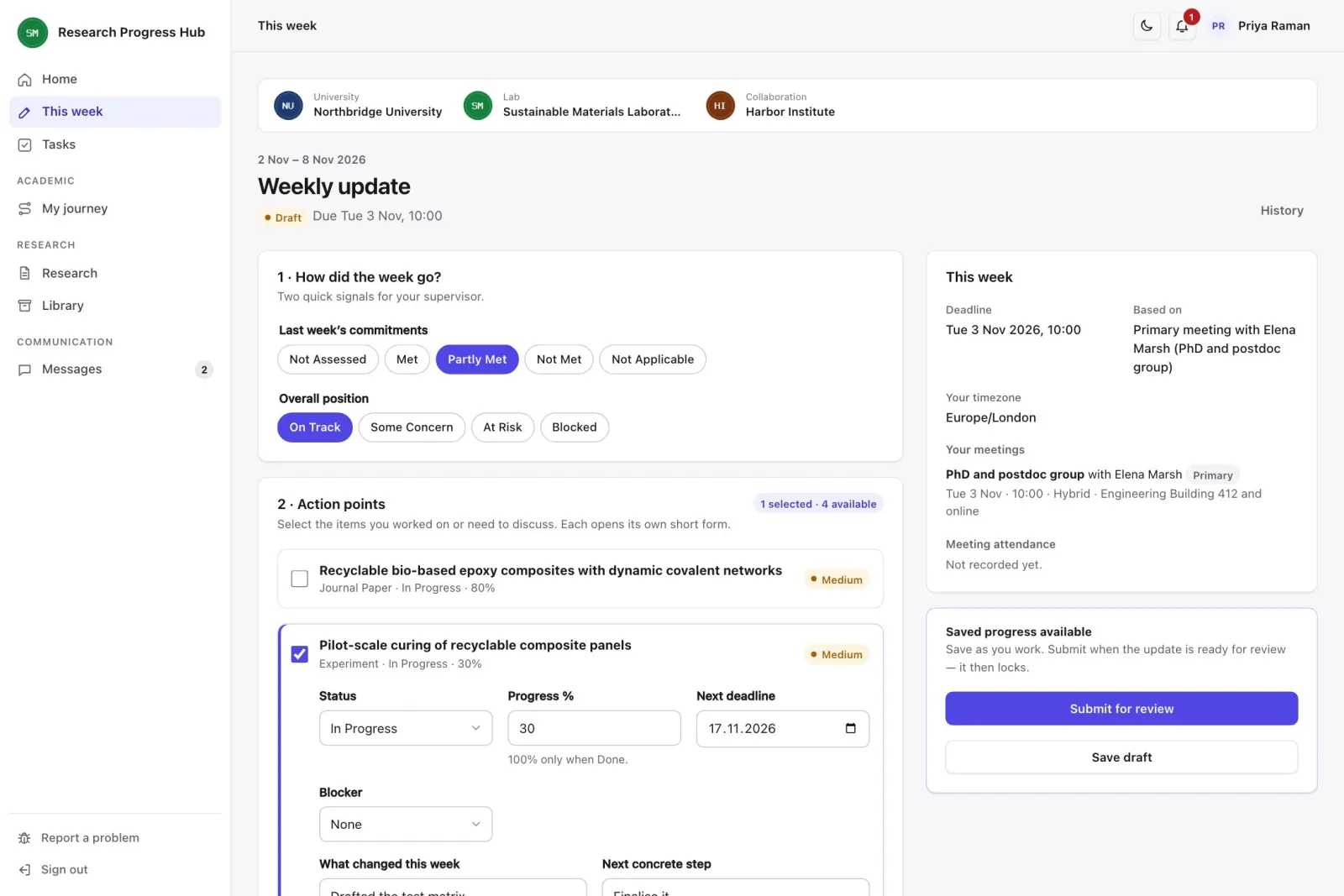
1. Send update
The student chooses the items they worked on, then notes progress, the next step, any deadline and where they need help.
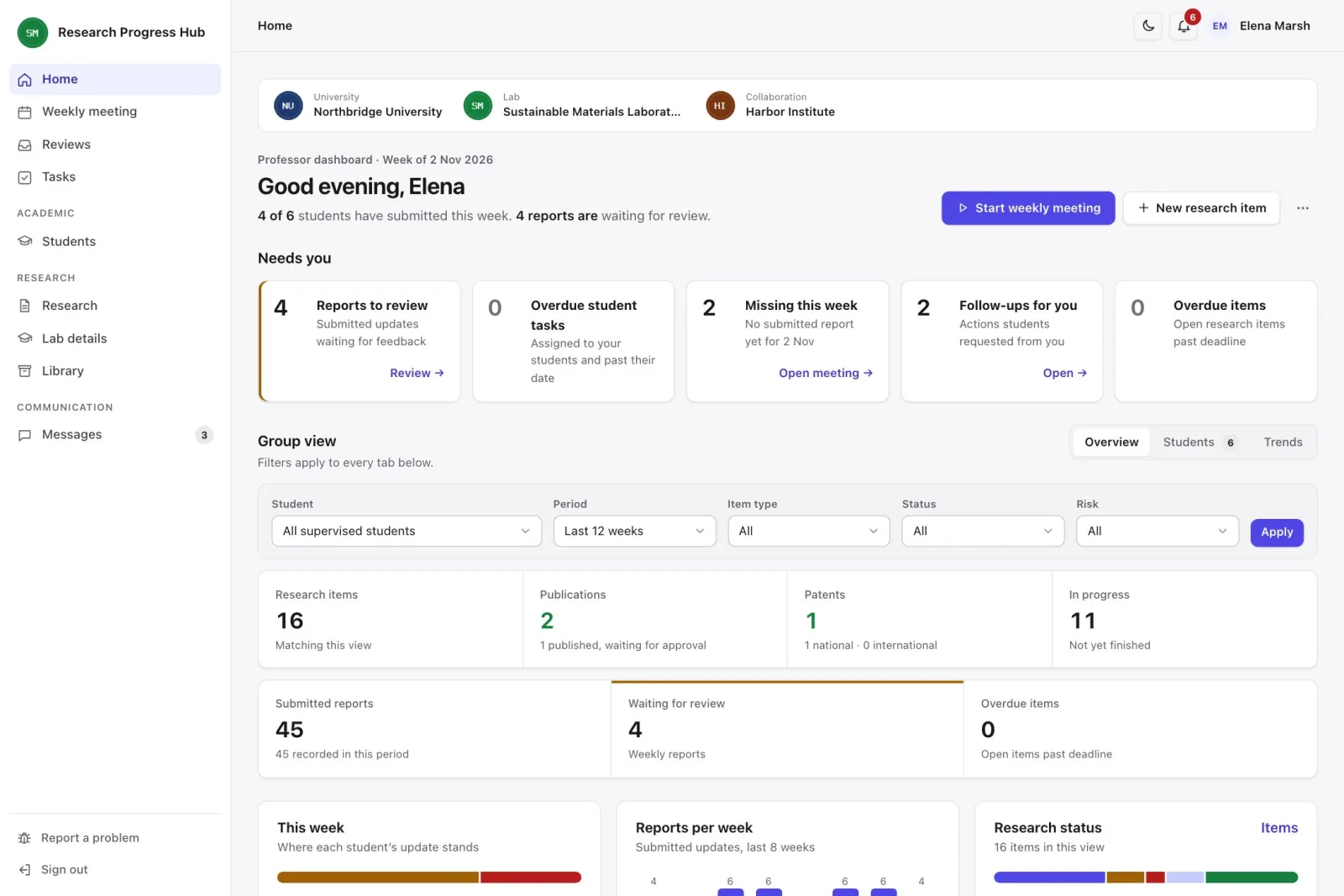
2. See what came in
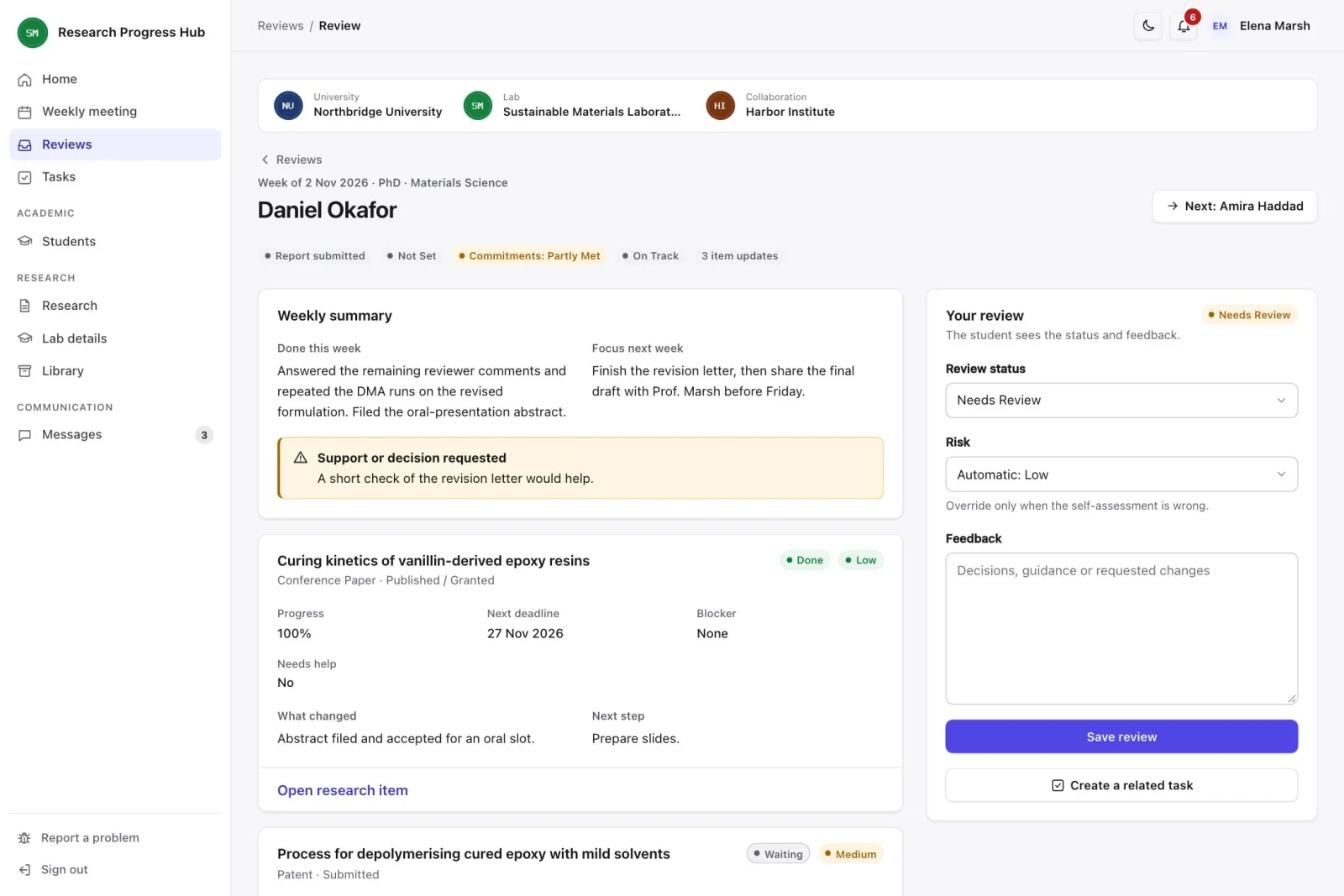
Before the meeting, the professor sees who submitted, who has not and who is blocked.
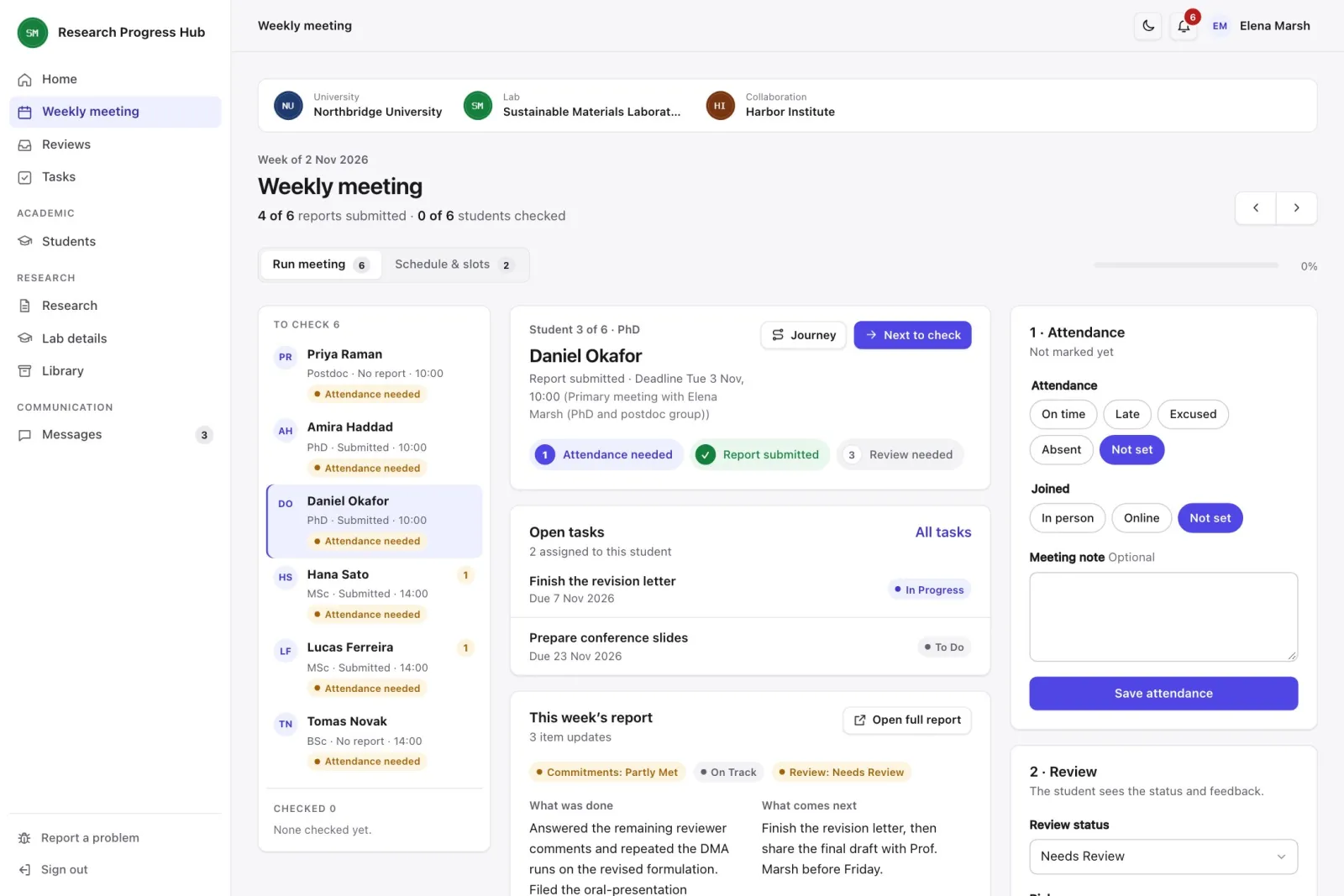
3. Meet
They go through students one at a time, with the report, attendance and feedback on one screen.
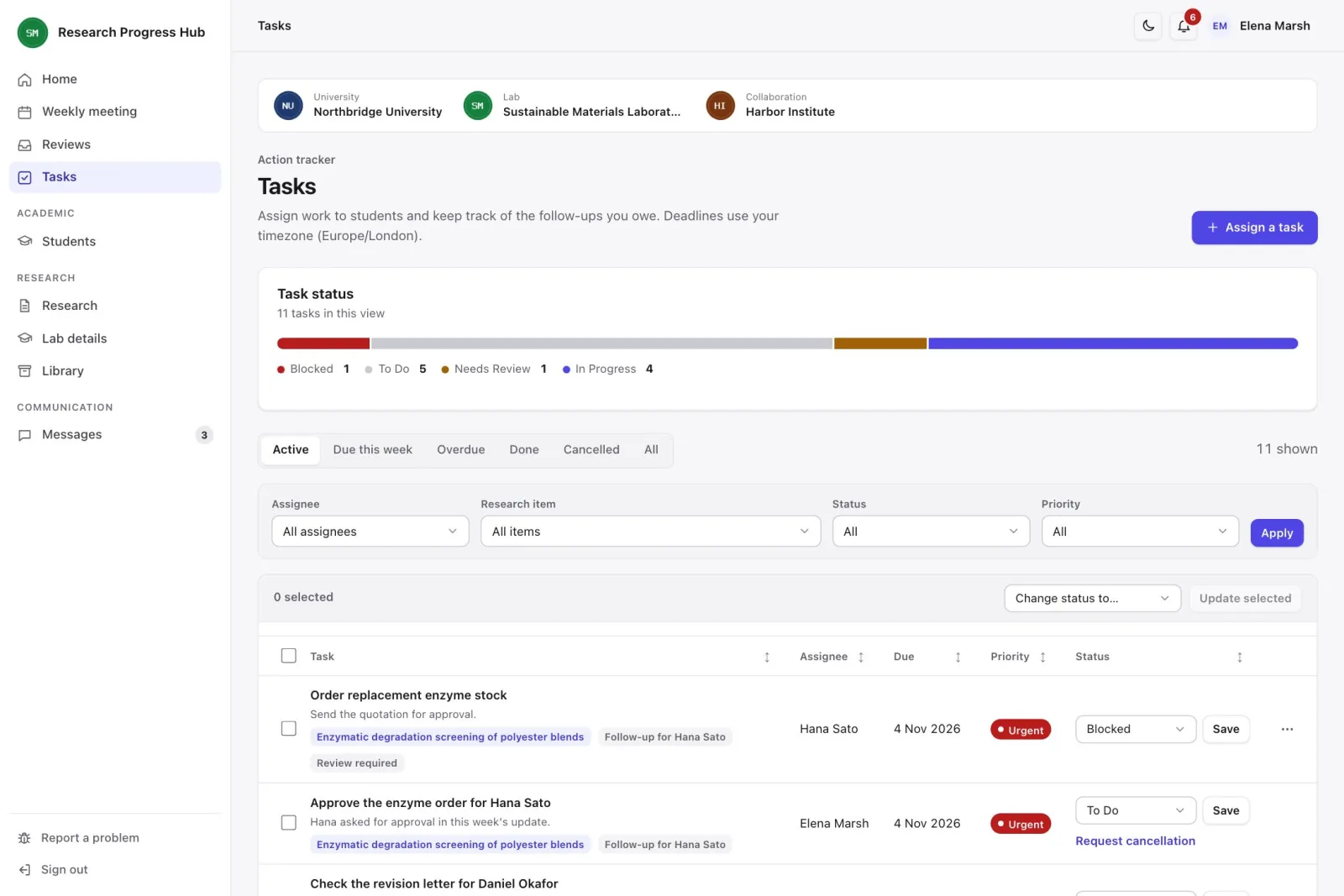
4. Assign follow-up
Decisions become tasks with an owner, a date and a link to the research behind them.
5. See feedback, do the task
The student sees the feedback and tasks, and the next update reports on them.
6. The record grows
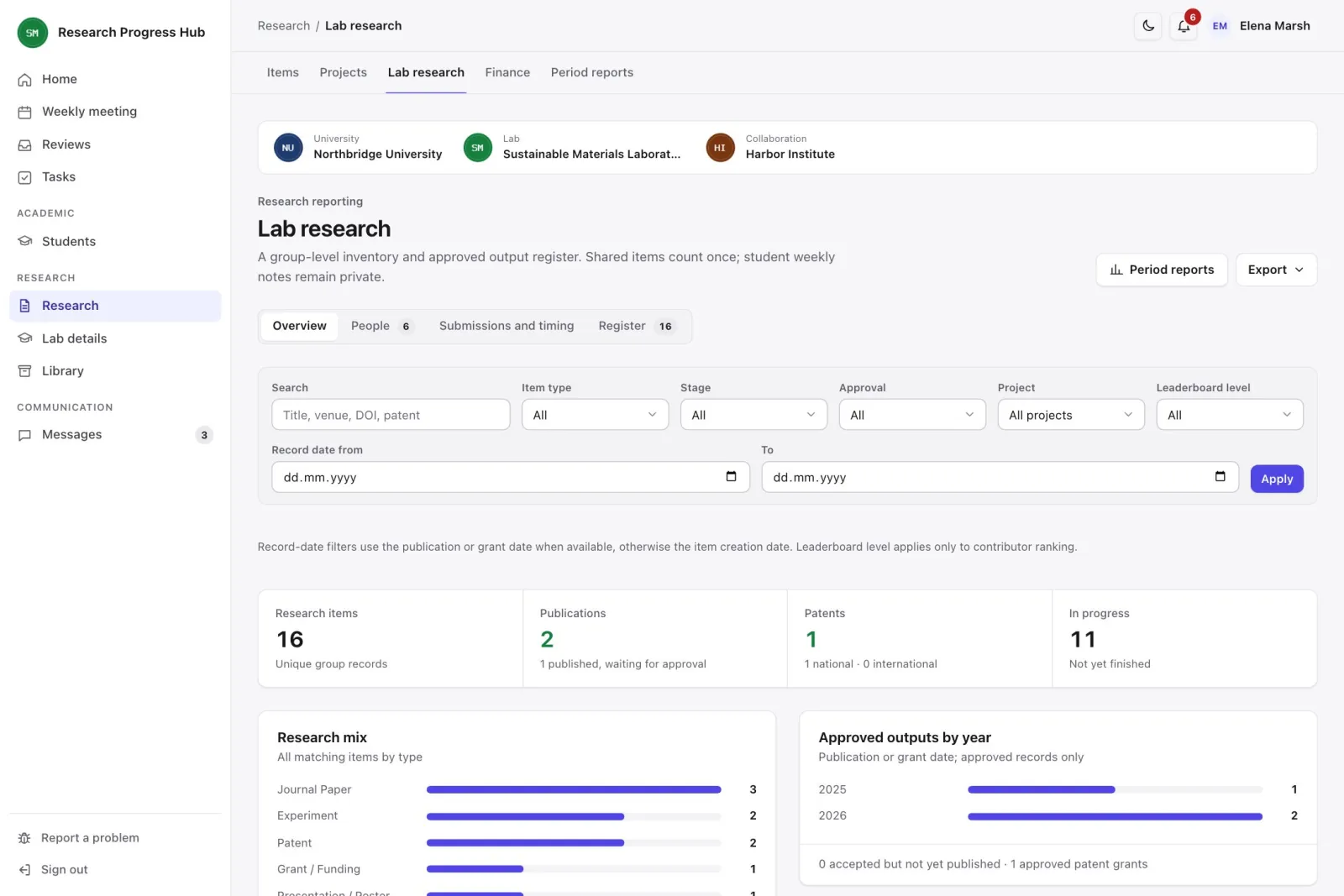
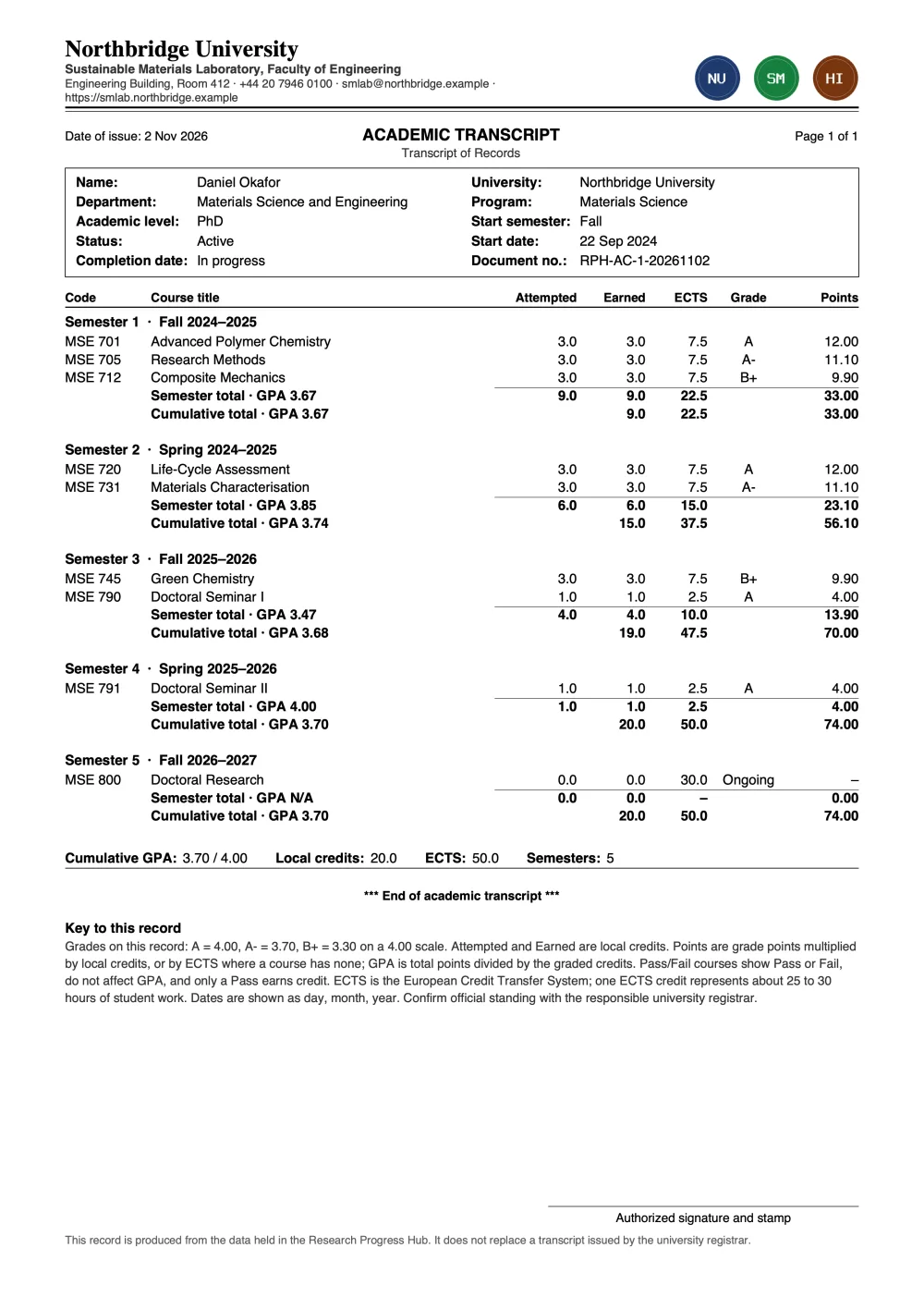
Each item keeps its history, including each submission and patent application. Journeys, lab reports and transcripts build from the same record.
What each person gets
Students and researchers
- Weekly update with progress, next step, deadline and blockers
- Feedback, tasks and notifications in one place
- Research items that keep their history across weeks
- Paper and patent timelines, with rejections and objections kept
- Own rank and points, plus the top 3 in the group
- Journey, semesters, courses, GPA, local credits and ECTS
- Graduation requirements with evidence and approval
- Private file library
- Quarterly and yearly reports of your own record
Professors
- Home page showing reviews, missing updates and overdue work
- Recurring and one-off meeting slots
- Meeting view with report, attendance and feedback
- Tasks for one student, all students or the people on an item
- Lab register of outputs, projects and approved publications
- Submissions, rejections and time taken, by venue and student
- Approval of finished items, which then lock
- Costs by lab, with approval and totals per currency
- Quarterly and yearly reports for the lab and each student, compared with other periods
- Items with missing details flagged as Needs Attention
Administrators
- Accounts, roles and each student's supervisor
- Activation links, so nobody receives a password by email
- Bulk import from CSV or Excel, with a preview before saving
- Analysis across labs, including supervision records
- University details, logos and PDF layout
- Mail server and notification rules
- Activity, access and technical logs
- Database backup and restore
- Quarterly and yearly reports for the university and each lab, compared with other periods
See it in use
Data and access, for your IT team
- Three roles. Student, professor and administrator. One account can hold more than one.
- One supervisor. Each student has one supervising professor, who can see that student's work.
- Private weekly text. Students cannot read each other's weekly text, courses or journeys.
- Shared work across labs. People from another lab can join a research item. Both labs see the item, its files and its members. Weekly text stays with each student and their own professor, and other labs see only that a cost was declared.
- Finished items. When the professor approves an item at Done, it is read-only for everyone until the professor reopens it.
- Accounts kept. Accounts with records are made passive, never deleted.
- Limited administrators. The administrator role runs the system and does not open research records by itself.
- Files and identity numbers. Private files are stored outside the public web folder, and identity numbers are encrypted.
- Sign-in and records. Activation links, password recovery, a session timeout you can set, optional reCAPTCHA, activity logs and database backups are built in.
- Hosting. It runs on PHP 8.2 or later with MySQL 8 or MariaDB 10.5 or later. The current version was tested on MySQL and on MariaDB 10.11.
What it does not do yet
- The system is designed for English. PDFs also print Turkish letters. Other letters, such as Arabic or Chinese, print as question marks, and the PDF menu warns you first.
- PDFs are A4 only.
- Publication and ranking details are entered by hand. RPH does not connect to publication indexes.
- RPH does not calculate patent deadlines. You enter them from the office's letter and get reminders.
- There is no single sign-on with university accounts yet.
See your lab's week in RPH.
We'll walk you through it with sample data and answer your questions about setting it up.